A 109-page marketing site built in one month — using AI as the development team.
My Role
Technical and creative lead. I defined the visual direction for the rebrand, designed the AI workflow system that made the project possible, supervised all page generation, and shipped the complete site. One developer supported CDN configuration and server setup.
Overview
The website is Qrvey's primary sales tool and digital face to the market. It had been running on an inherited WordPress setup for years, and it was falling behind the company's growth. When marketing started pushing for a new level of improvements — new page types, custom development projects like interactive calculators and demos, a fresh brand, better SEO — every request hit the same wall: CSS nobody fully understood, plugin dependencies, and no real path to scale. We explored Webflow, Framer, and Builder.io. Each had a dealbreaker. So I proposed a different approach: build a custom Next.js site designed from the start to be generated, modified, and extended with AI. One month later, 109 pages were live.
Results
91
SEMrush site health, up from 72. Top 10% of all websites sits at 92.
-93%
SEO errors reduced from 477 to 35 in the first week after launch
109
Static pages live at launch: product, comparison, solutions, blog, and SEO landing pages
1 mo.
From stack decision to full production launch, including rebrand and full site migration
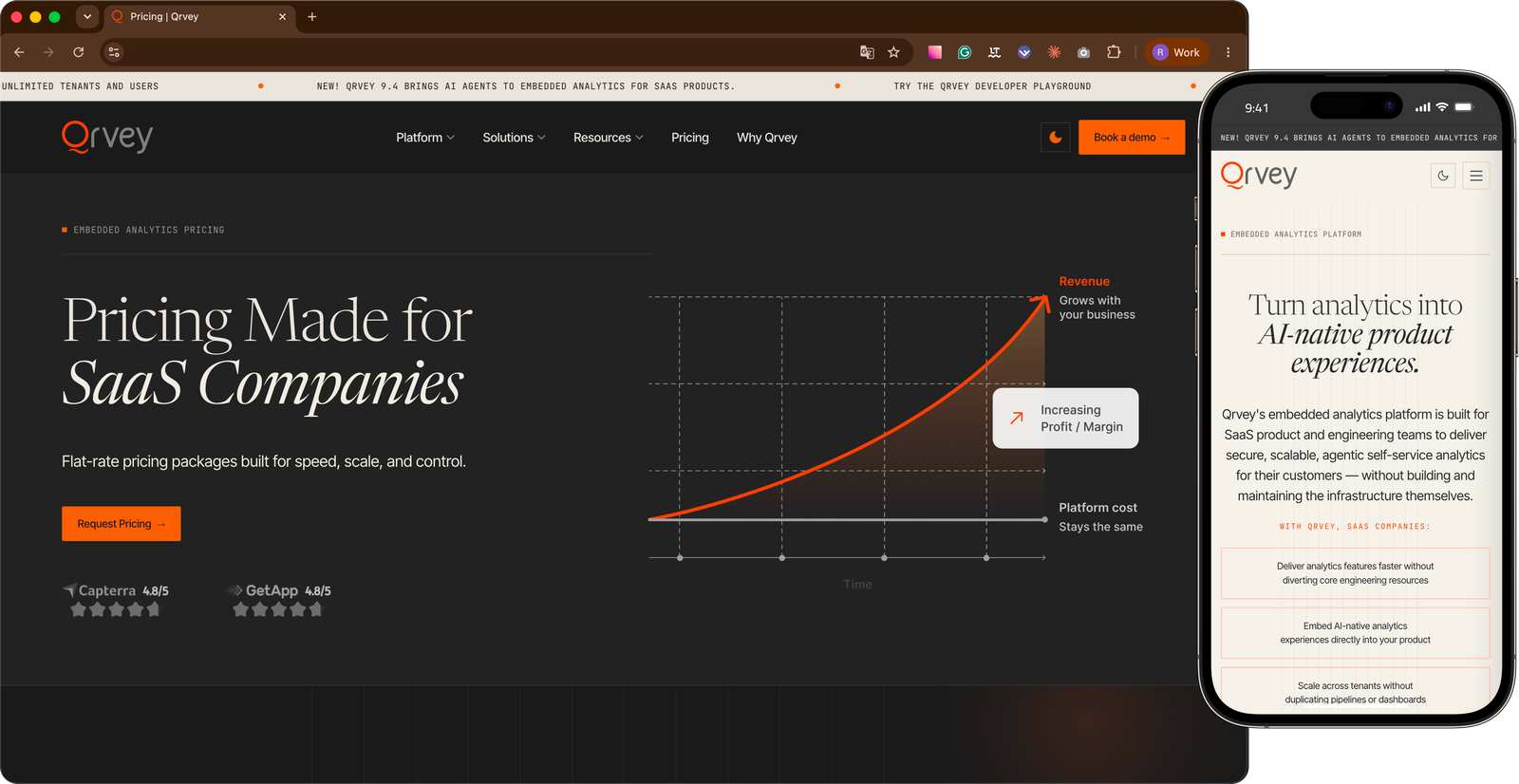
Overview
The website is Qrvey's primary sales tool — digital home and first impression for every prospect. It had been functional for years, but it had been passed between teams, and with each owner came more custom code, more plugins, and more workarounds layered on top of a WordPress theme not designed for what we were asking of it. The company was growing; the site wasn't keeping pace.
We explored alternatives before committing to a rebuild. Webflow, Framer, Builder.io — each had a proof of concept, each had a dealbreaker. Too expensive, migration too complex, time too long, or still dependent on third-party platforms. I proposed building a custom Next.js site designed from day one to be edited and extended using AI. The goal wasn't just a better site. It was a site the whole team could actually work with, long after launch.
Objectives
Behind the rebuild there were six specific goals, all pointing toward the same outcome: more leads from a site the team could actually own.
Visual quality. A modern site that reflected where Qrvey was heading — not where it had been. Current design trends, not legacy SaaS templates.
Speed. Better load performance across every page.
Content for humans and machines. Structure and copy optimized for both readers and AI crawlers doing indexing and research.
SEO health. Eliminate errors, remove dead weight, rebuild the foundation — meta, structure, structured data, canonical logic.
Mobile experience. A meaningful upgrade from what the WordPress theme was delivering.
Speed of iteration. Marketing making changes in hours, not waiting days for developer availability. Review Mode was central to making this work in practice.
Results
The new site launched in one month with 109 static pages. SEMrush site health went from 72 to 91, one point below the top 10% threshold for all websites globally and well above the 75–78 benchmark for our industry. SEO errors dropped from 477 to 35 within the first week of launch, a 93% reduction. The bigger operational shift: marketing went from waiting on developer availability to directing changes through AI in near real time.
01 — The Problem: A Site That Couldn't Keep Up
The site had worked for years, but it had been passed between teams. With each owner came more accumulated custom code, more plugins, and more workarounds built inside a page builder not designed for what we were doing with it. Nobody had a complete map of the CSS. Theme updates would break custom layouts and require manual investigation. Every improvement took longer than it should.
The gap became clear when marketing started asking for things that should be normal for a company at this stage: a full visual rebrand, dedicated comparison pages per competitor, industry-specific solution pages, interactive tools like ROI calculators and selectable feature tables, and a comprehensive SEO overhaul. Each request required digging into a codebase that was increasingly hard to reason about.
Layout limitations. The UX Builder required workarounds that slowed execution and capped creative options.
Developer experience. UI changes meant going through a page builder instead of editing code, which was slow and error-prone.
Update risk. Theme updates broke custom layouts and required manual investigation each time.
Scalability. Growing page count made the stack increasingly hard to manage and audit.
Technical debt. Multiple owners over time left orphan pages, inconsistent CSS, and a codebase that was difficult to fully understand.
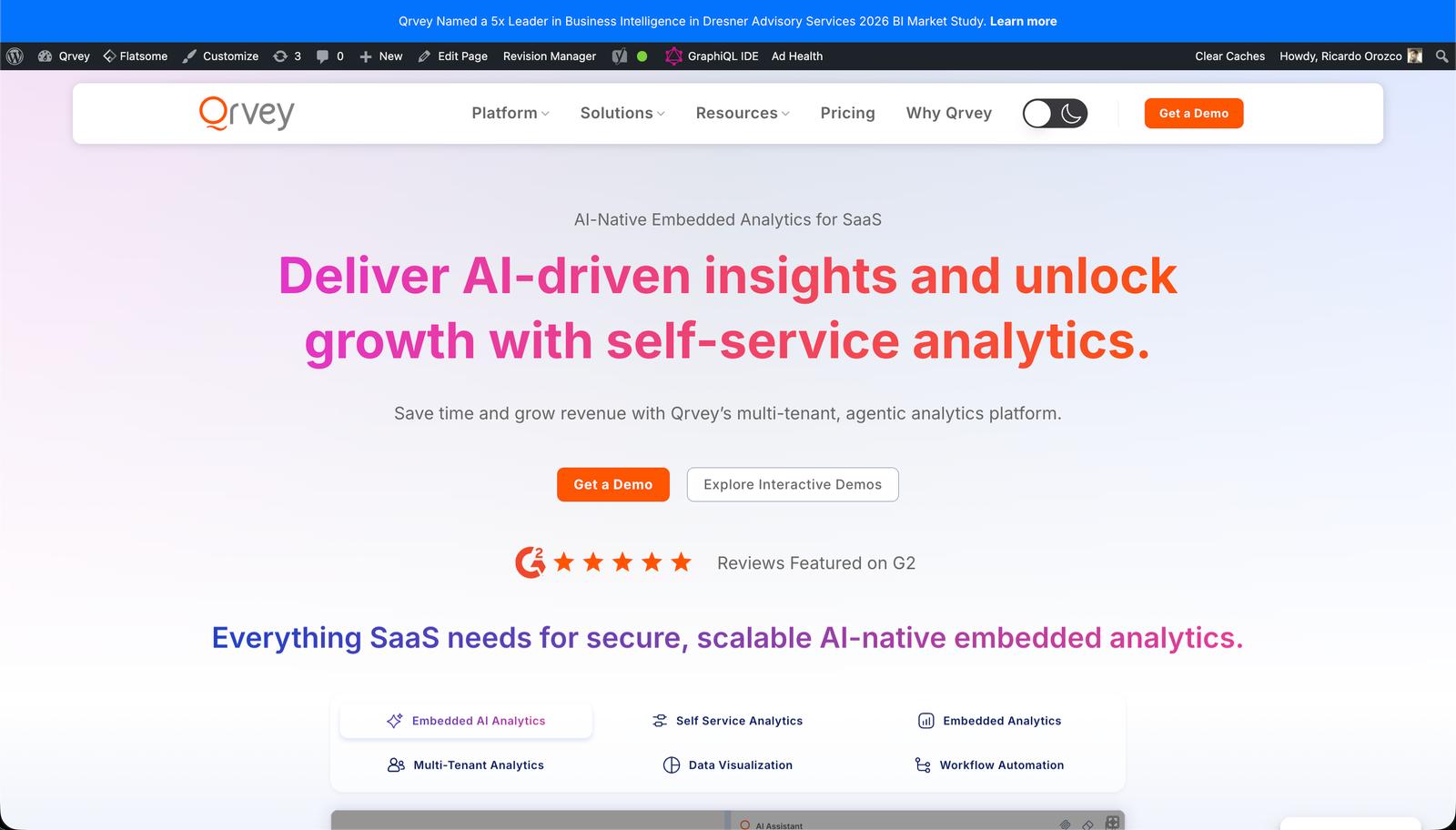
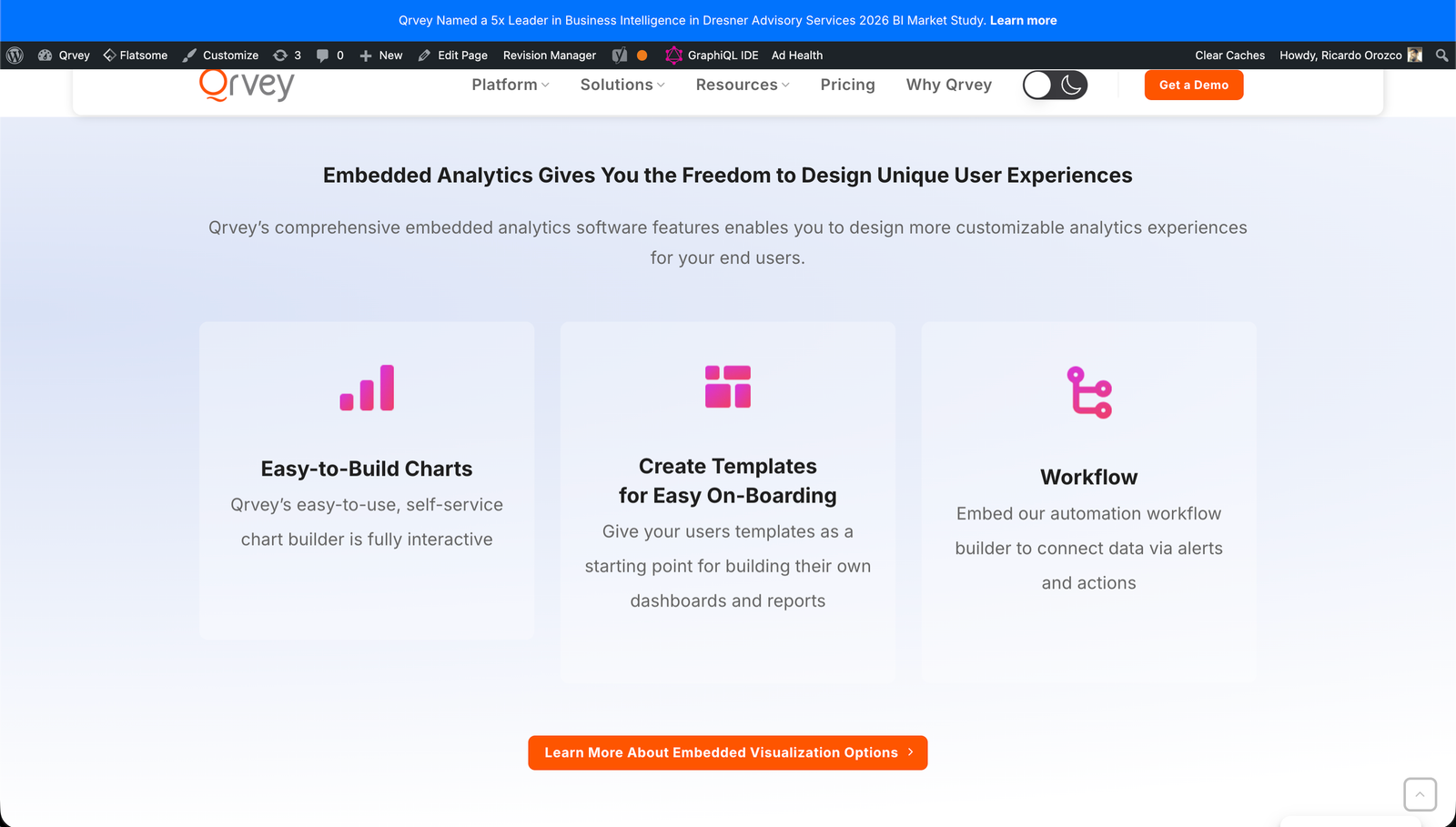
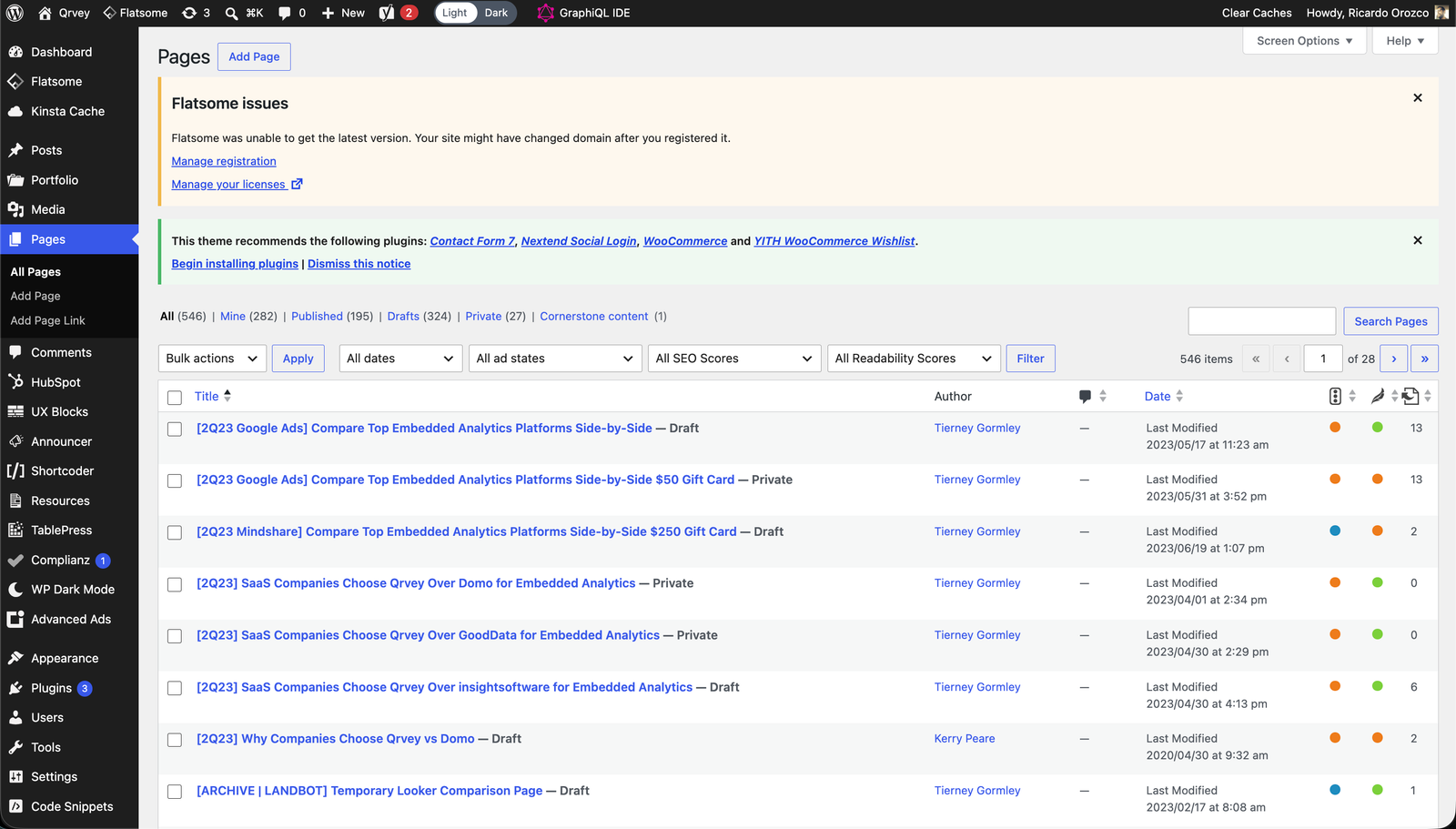
We explored alternatives before committing. Webflow, Framer, and Builder.io all had proofs of concept. Each had a dealbreaker: too expensive at scale, migration too ambiguous, too much time to rebuild, or still dependent on third-party platforms we didn't control. The conclusion was to build something custom and design it from the start for AI-assisted development.
02 — The Strategy: Define the Rules Before Writing a Line
The key insight was about sequence. Before generating a single page, we needed a system. If AI was going to produce consistent, production-ready code, it needed clearly defined constraints: design tokens, component patterns, layout rules, writing voice, and animation behavior. Without that foundation, every page would require heavy correction.
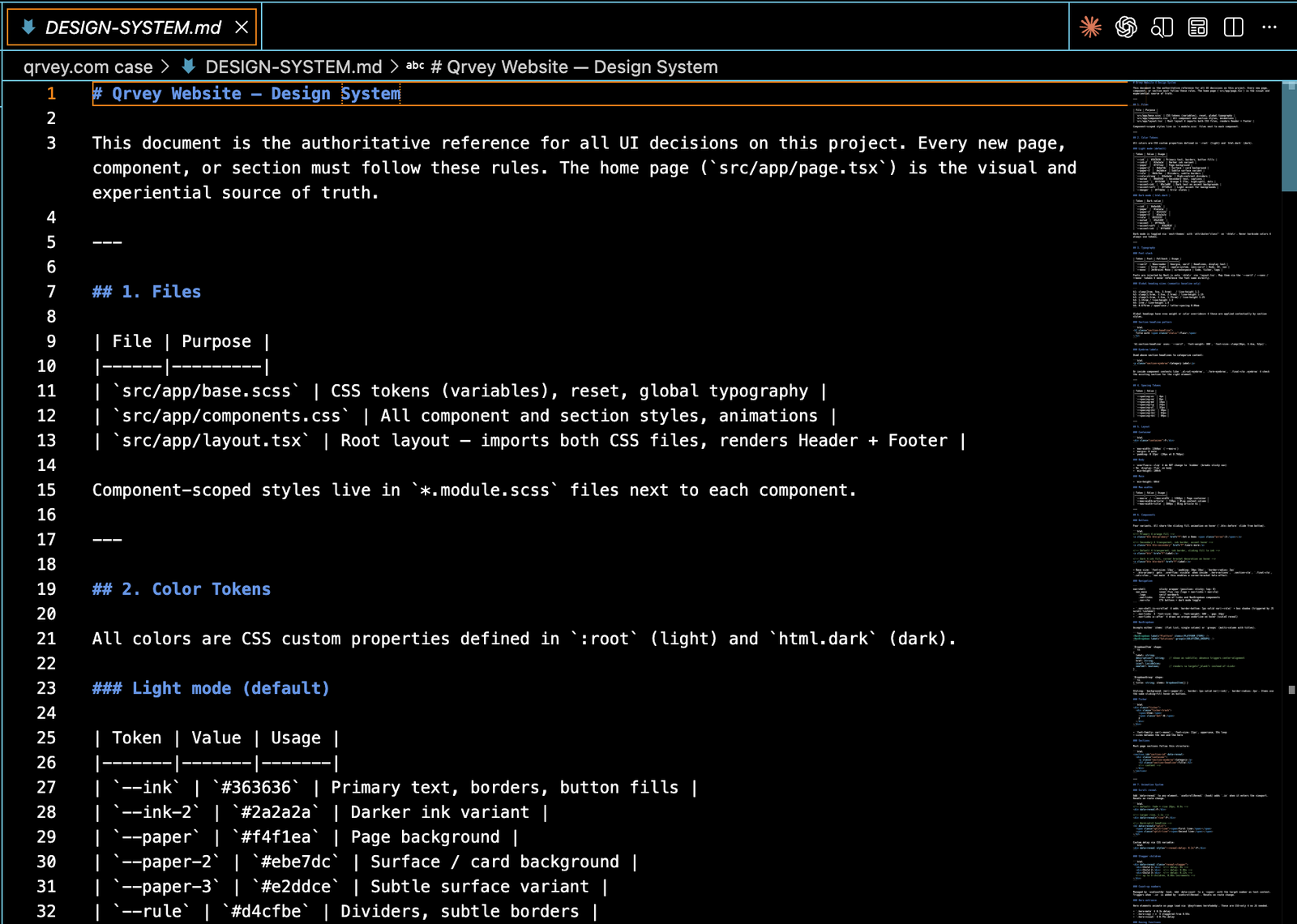
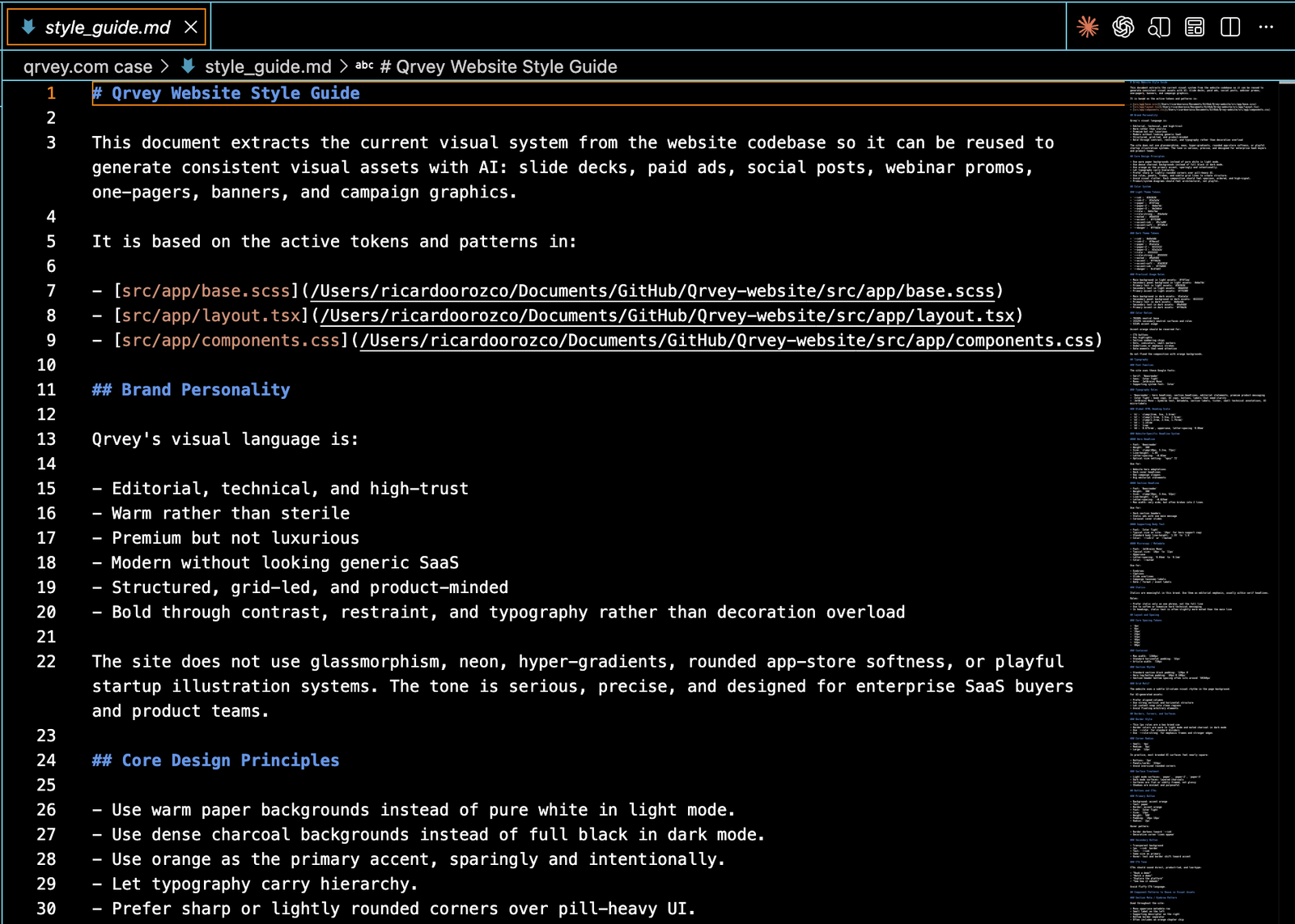
I built that system in three documents that became the persistent context for every AI interaction throughout the project:
→ DESIGN-SYSTEM.md — the authoritative reference for all UI decisions. Color tokens, typography scale, button variants, section structure, dark mode rules, animation patterns, and an explicit do/don't table for common mistakes.
→ style_guide.md — the visual language extended for external assets: slides, ads, social posts. Includes a dedicated AI prompting section with exact color values and a reference prompt snippet.
→ Instructions.md — the operational runbook. Daily commands, how to update SEO from WordPress, how to add a FAQ component, how to trigger a deploy.
These weren't just internal documentation. They were the context that made AI output reliable. With them in place, "generate a solutions page" stopped being an open-ended request and became a constrained, reproducible task. The AI knew the tokens, the components, the section structure, and the voice before generating a single line.
03 — The AI Workflow in Practice
With the system in place, the workflow was: define the page, provide context, generate, review, refine. About 80% of each AI output went directly into the codebase. The remaining 20% needed editing, usually copy adjustments or minor layout tweaks, but the structural and design decisions were almost always right because the constraints were clear.
The real skill in this workflow wasn't writing code. It was directing the AI precisely. Different tasks required different inputs:
→ New pages from scratch. Provide the design system doc, a reference page as a structural example, and the page content. The AI generates the full TSX component following established patterns.
→ Batch page replication. Build one page, then pass the HTML and new content as input to replicate the structure. The 10 competitor comparison pages that would have taken days in WordPress — creating, duplicating, replacing content manually, and repeating — were completed in hours.
→ SEO migration and cleanup. Rather than starting from zero, we imported the existing SEO data from WordPress to preserve years of accumulated rankings and metadata. From there, we ran a full site scan to identify 404 errors, H1 inconsistencies, duplicate title tags, and pages requiring 301 redirects. Once the issues were mapped, we used structured documents to give the AI precise instructions for implementing fixes: canonical tags, JSON-LD structured data, robots settings, and meta descriptions across all 109 pages.
The throughput this enabled was the actual result. What used to require a developer ticket and days of back-and-forth became a directed conversation with an AI that already understood the design system.
04 — Technical Decisions That Respected the Existing Workflow
Every stack decision started from a question: does this fit how the team actually works? A technically elegant system that forces everyone to change their process is still a problem. The goal was to modernize the site without disrupting workflows that were already working.
Headless WordPress
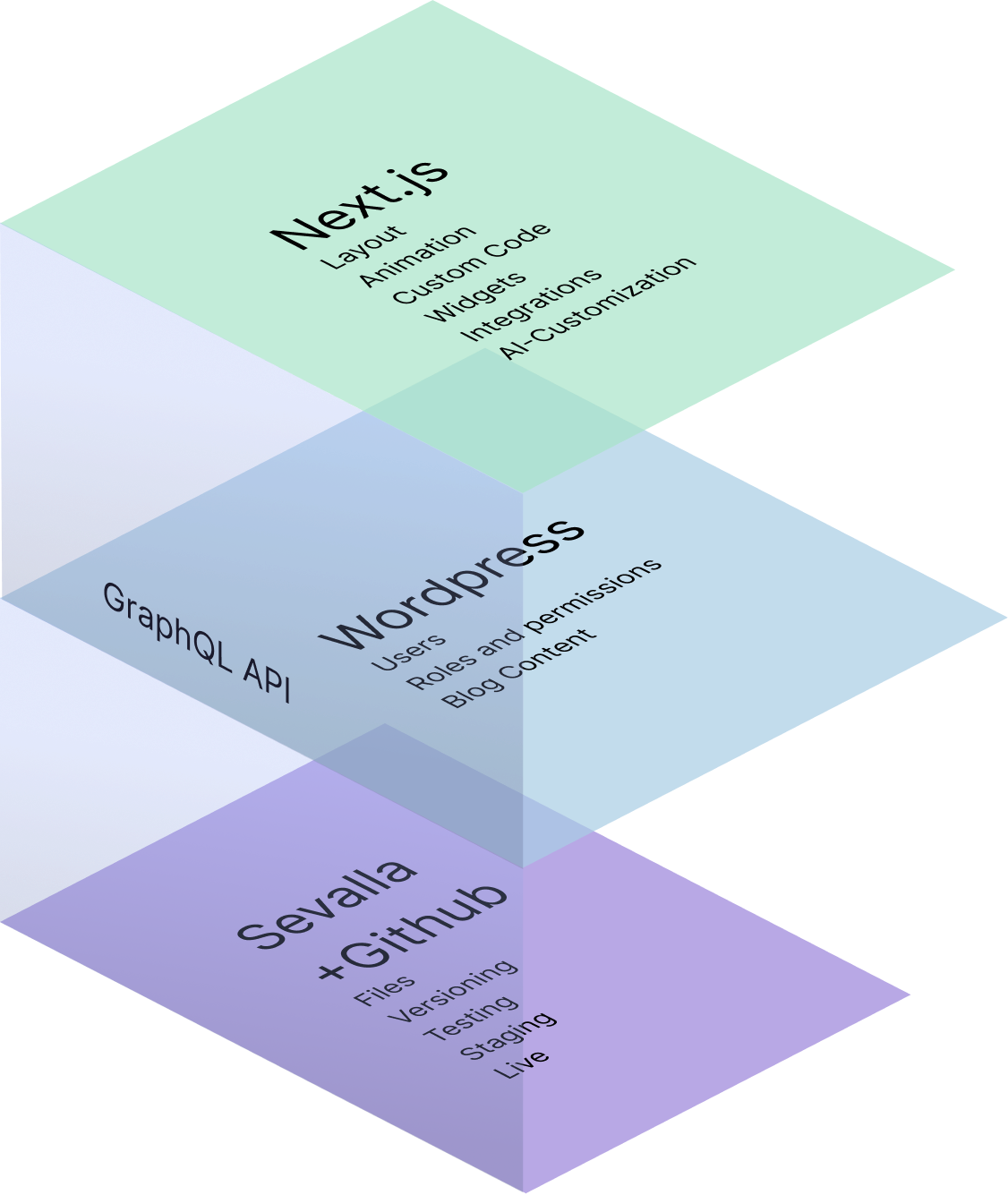
Marketing worked with an external agency managing blog content in WordPress. That relationship wasn't changing, and it didn't need to. The new site consumes WordPress as a headless CMS, pulling blog posts via GraphQL at build time. WordPress also handles user management and access permissions for all external content contributors, which kept the agency's onboarding process intact. We get clean, structured content without maintaining a WordPress frontend. The workflow was preserved; the technical debt wasn't imported with it.
Static Export + GitHub + Sevalla CDN
The site builds to pure static files. The codebase lives on a shared GitHub repository with role-based access, so the team can contribute and review changes under version control. Deployment runs through two environments: a staging environment for content review and QA, and a live environment on Sevalla CDN for production. Changes go through staging before reaching production, and permissions are scoped so unreviewed code can't reach the live site. Fast load times are a byproduct of the architecture, not a separate optimization pass.
05 — Solving the Feedback Problem: Review Mode
One problem the new stack didn't automatically solve was how the marketing team gives feedback on copy and content. The old process meant annotated screenshots, PDF markups, or vague descriptions like "the second paragraph on the pricing page, third sentence." Slow, easy to misread, and hard to track across multiple rounds of revision.
We built Review Mode — a feedback layer that lives on top of the live staging site, only active outside production. It works like comments in Google Docs, but on the actual page:
Click anywhere on the page to pin a comment to that exact position on the screen.
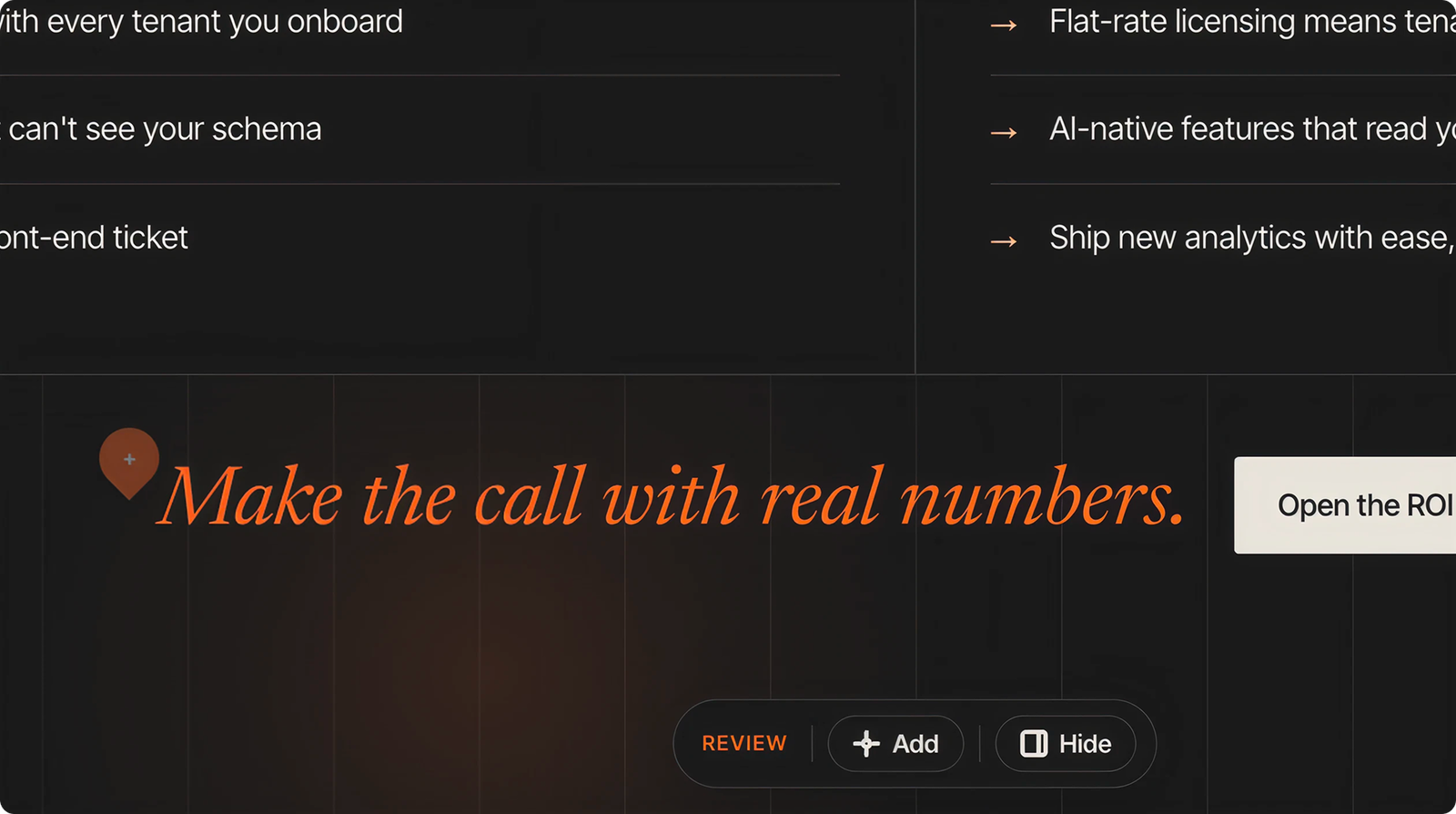
Leave messages and feedback, reply to it, or mark it as Done, Resolved, or Rejected.
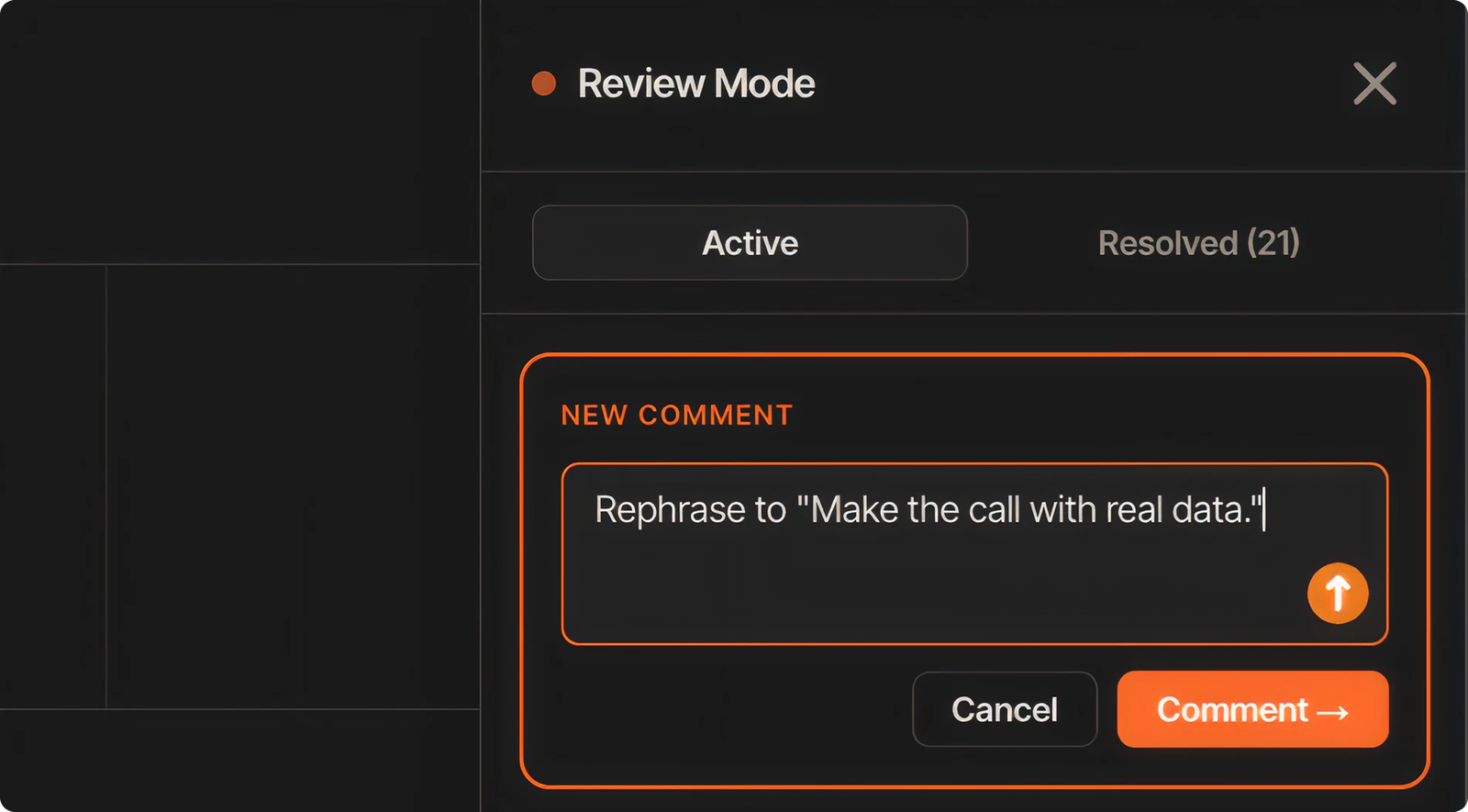
Comments persist across sessions so nothing gets lost between review cycles.
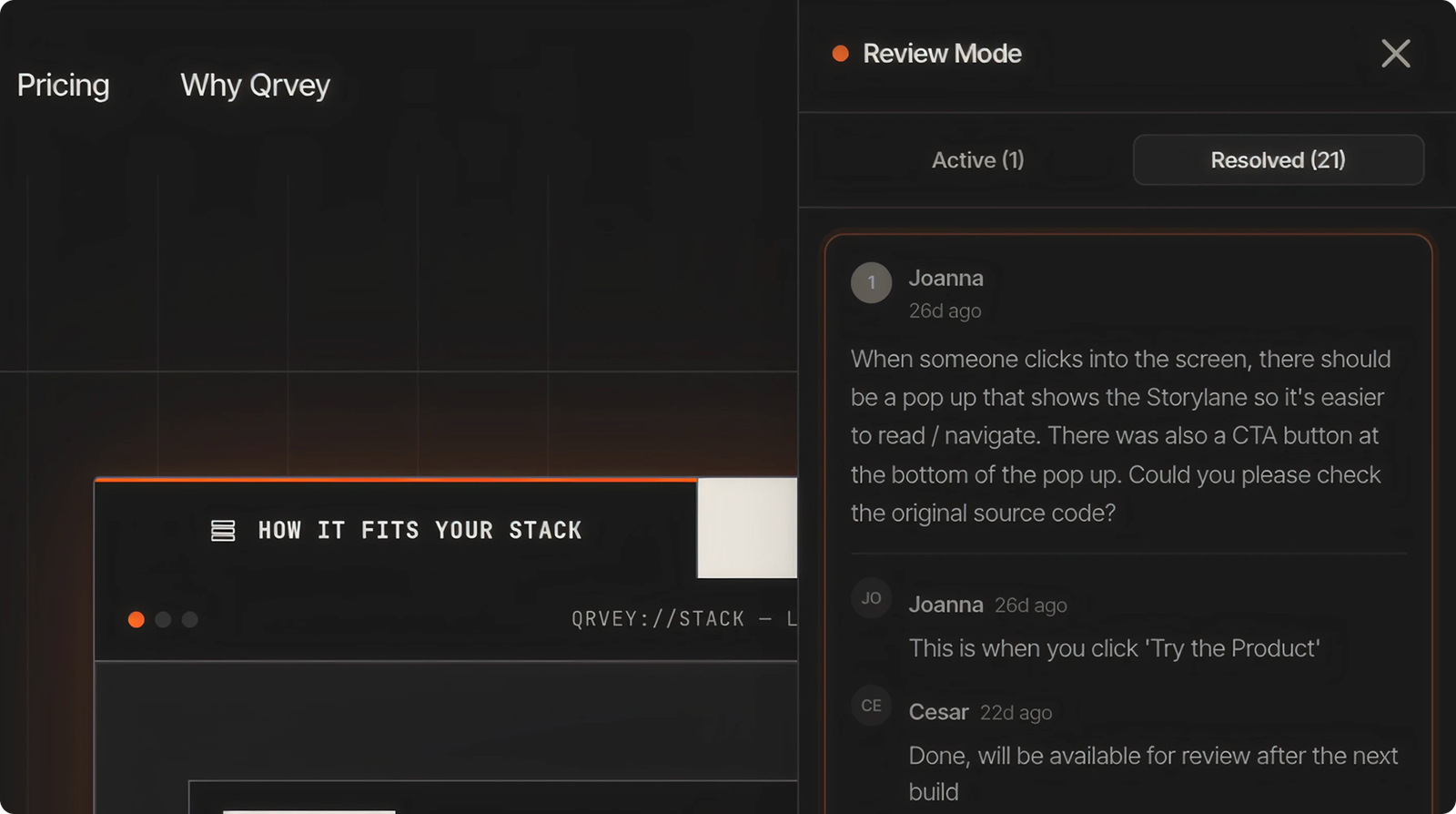
Completely invisible in production — the layer only exists in staging environments.
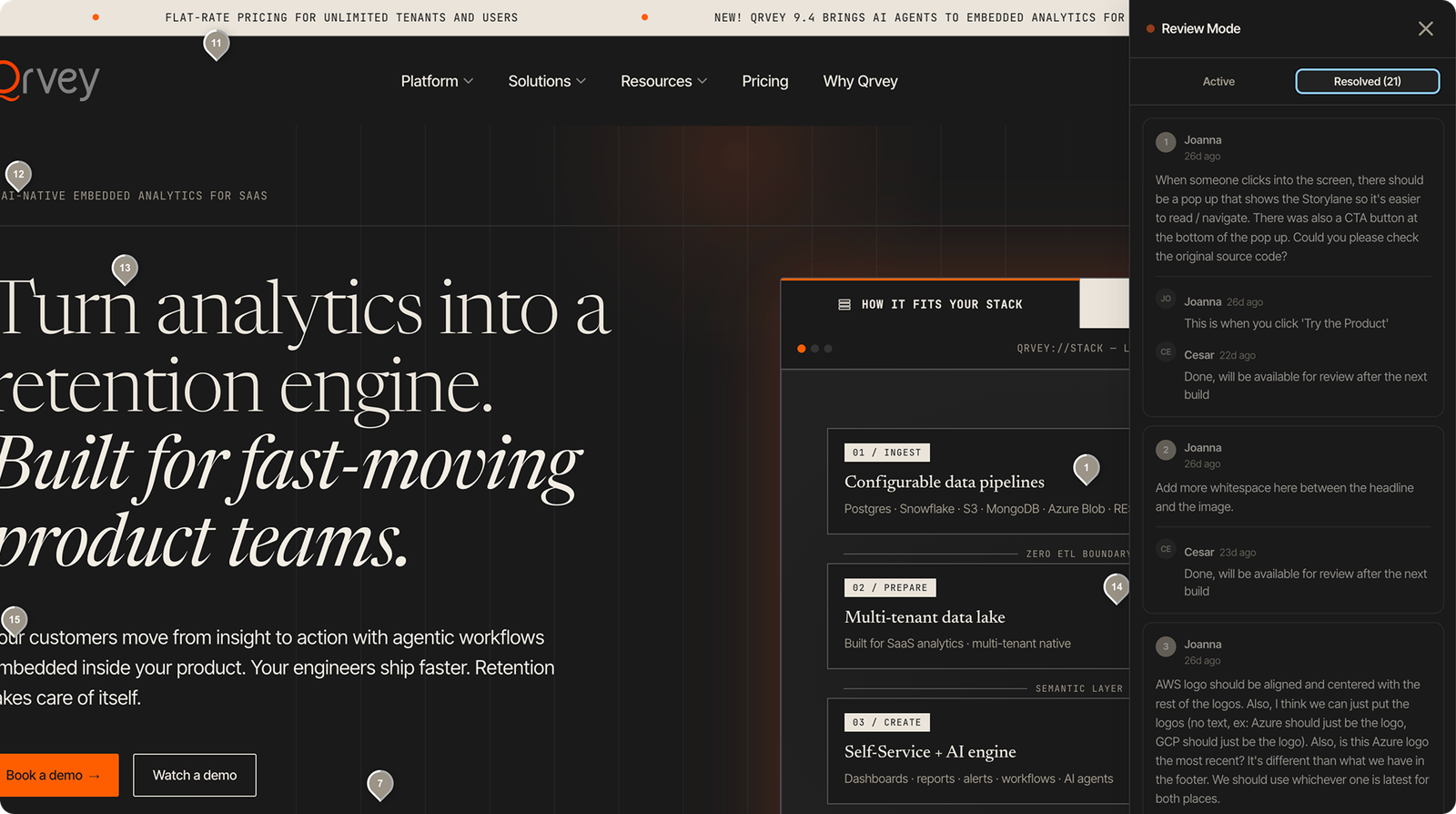
The marketing team didn't need to learn a new tool or change their process. They clicked on the element they wanted to change and wrote exactly what they needed. The feedback was precise, located, and async. Revision cycles that previously required a meeting or a shared PDF became a threaded comment on the live page.
06 — Results & Impact
91
SEMrush site health score, up from 72. The benchmark for the top 10% of all websites globally is 92. Industry-related sites average 75–78.
-93%
SEO errors reduced from 477 to 35 within the first week of launch, a direct result of the technical SEO work baked into the build process from day one.
109
Static pages live at launch: product pages, competitor comparison pages, solution pages, blog, guides, case studies, and SEO-targeted landing pages.
1 mo.
From stack decision to full production launch, including rebranding, all page generation, SEO implementation, and complete site migration.
See it yourself www.qrvey.com →
The shift that matters most isn't in the metrics. It's operational. The marketing team went from submitting requests and waiting for developer availability to directing changes through AI in near real time. Pages that required a week of back-and-forth in WordPress now take hours. The site can grow without growing the team.
07 — Key Takeaways
→ Build the system before building the product. The instruction documents were the real work. Once the design system, visual language, and code conventions were encoded in structured files, every page became a reproducible output. AI is only as consistent as the context you give it — if the foundation is solid, the output is solid too.
→ The best technical decisions protect existing workflows. Keeping WordPress as a headless CMS preserved the blog agency's process. Static export kept deployment simple and secure. A good stack change doesn't force everyone to change how they work — it removes the bottlenecks and leaves what works untouched.
→ Using AI at scale requires a director, not just a prompter. The difference between consistent, production-ready output and generic AI code was knowing what type of input to give — structured documents, HTML references, content files — and how to frame the constraint clearly. Managing AI well is its own skill.