A guided workflow to transform data before analysis.
My Role
UX/UI Lead Designer at Qrvey. Led the design of the Transformation module end-to-end: discovery, strategy, flows, hi-fi design, and collaboration with PMs and engineers through shipping.
Overview
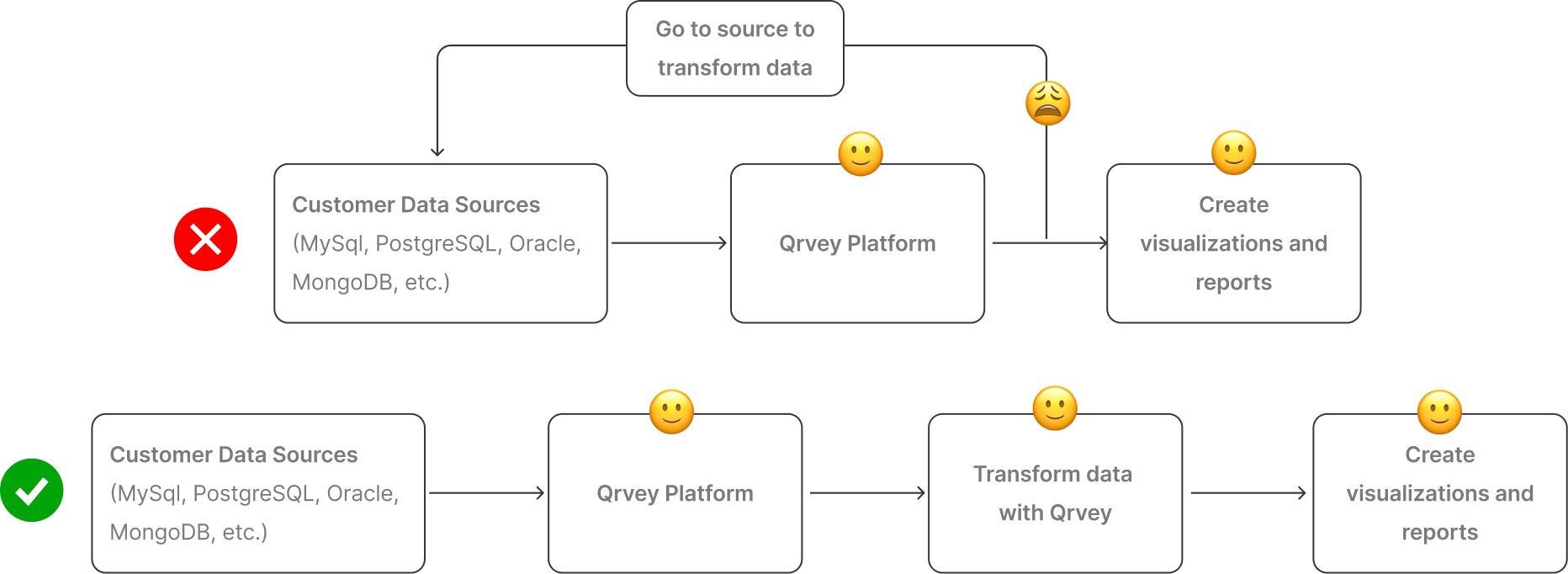
Qrvey users had to leave the platform to transform their data: extra work, extra cost, and sometimes lost progress on work already done inside the tool. In sales calls, 40 to 50% of prospects were asking about transformation capabilities. The gap was real.
The challenge was building something powerful enough for engineers comfortable with JavaScript, and clear enough for non-technical analysts who just needed to clean or reshape a column, all in the same interface, without compromising either.
Results
-66%
Ticket requests related to data transformations dropped from 15 to 5 per month
+2
Current clients renewed their subscription citing the feature as the reason
Overview
Qrvey is a heavy-data platform where users import, prepare, and analyze complex datasets. A recurring need among customers was the ability to transform data, to change formats, merge fields, or generate new columns based on existing ones. The goal was simple yet ambitious: enable any user to transform data without code. It ended up being one of the most significant releases of the year, letting both engineers and analysts work with data directly inside Qrvey for the first time.
Results
We reduced ticket requests related to data transformation features by 66%, from 15 to 5 per month. These 5 tickets, on average, were related to bugs, technical issues, or new types of transformations that were easily added to the platform given the scalable solution that was implemented.
01 - Discovery and Research
Transforming data is a fundamental step in any analytics workflow, but until recently, Qrvey’s users had to make data transformations in their own data sources outside Qrvey’s Platform, this could imply extra work and extra costs to modify and reload data, and in some case lose already finished work. Also, during customer interviews, 40–50% of prospects asked about transformation capabilities. This revealed both a gap in our offering and a strong opportunity to expand Qrvey’s value proposition.
Through these conversations we identified two key user segments:
→ Technical users, comfortable writing expressions or basic JavaScript.
→ Non-technical analysts, who needed an accessible, guided way to perform basic transformations.
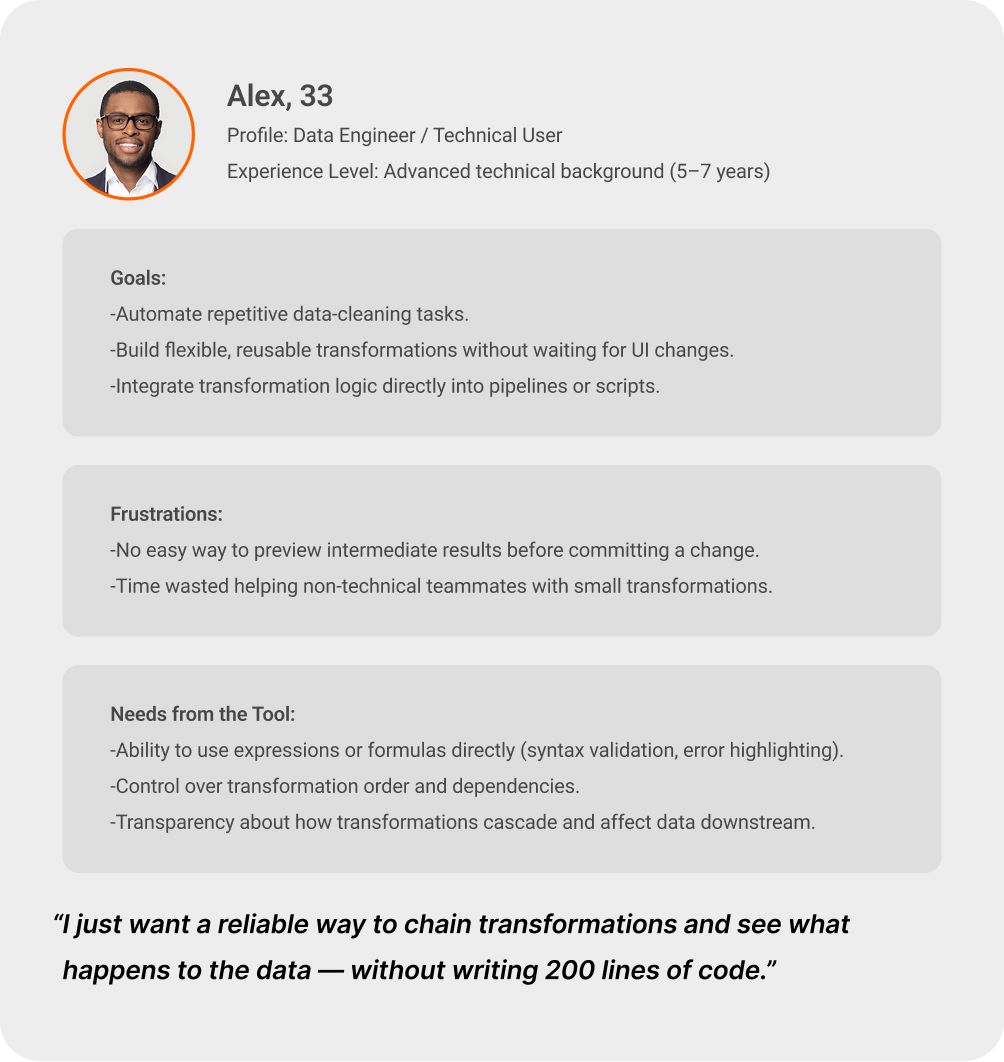
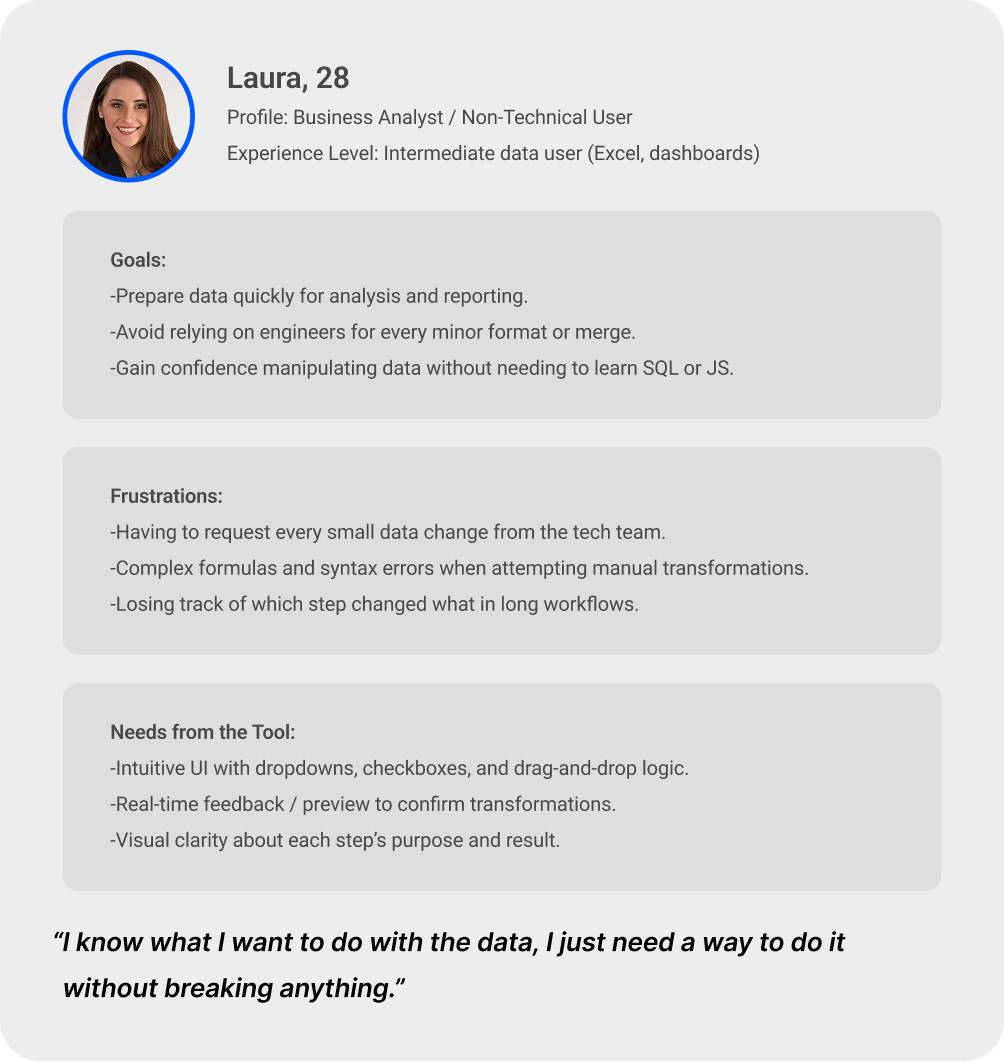
That's what shaped the design challenge: how to support both types of users in the same interface.
02 — Ideation & Strategy
There was already a feature in another part of the platform called “Formulas”, which allowed users to create new columns and edit existing ones. We decided to integrate that functionality into the new Transformation module to provide a powerful tool for technical users. This approach allowed for a quick first release, helping sales showcase the feature early to prospects.
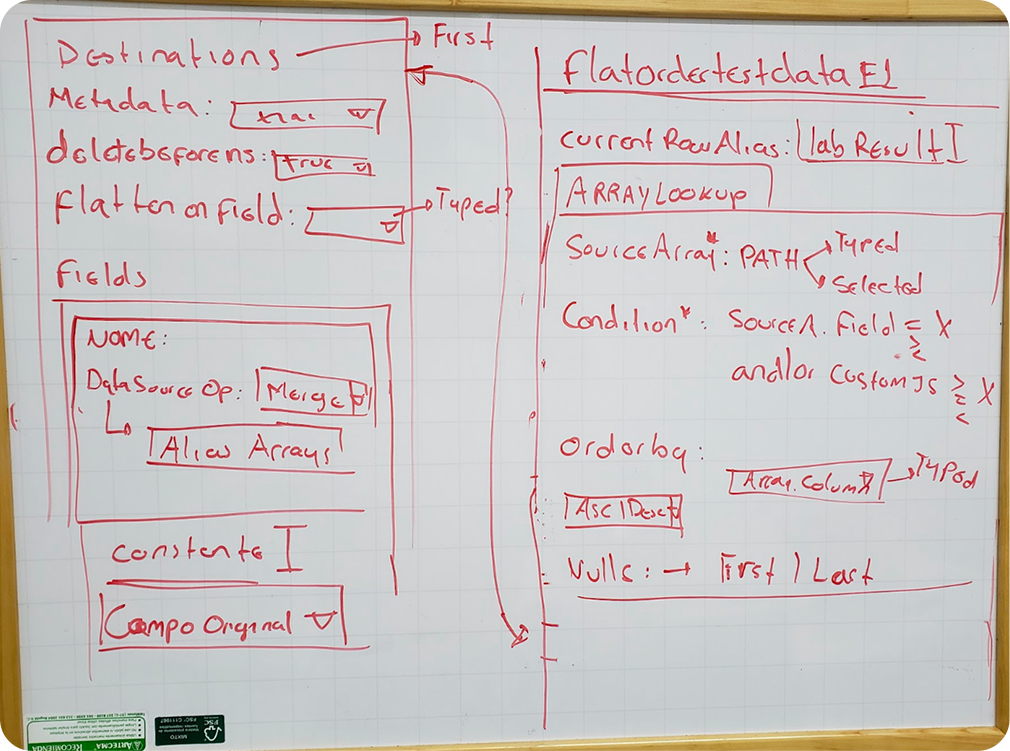
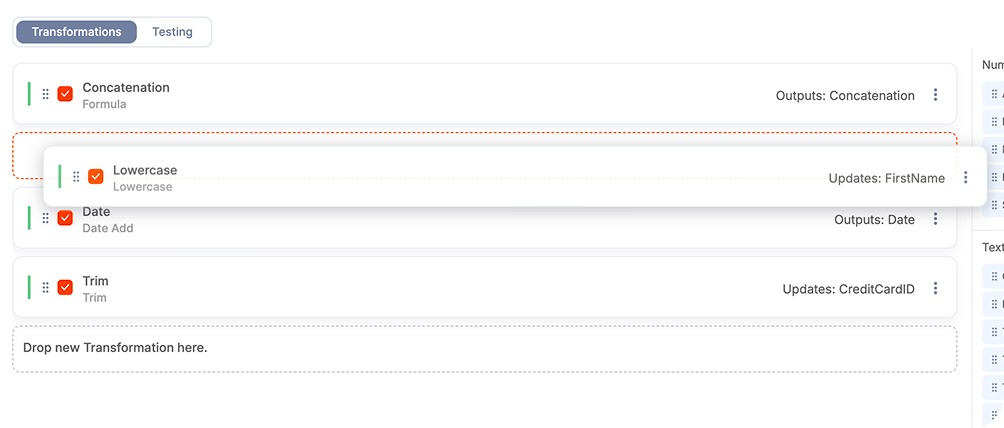
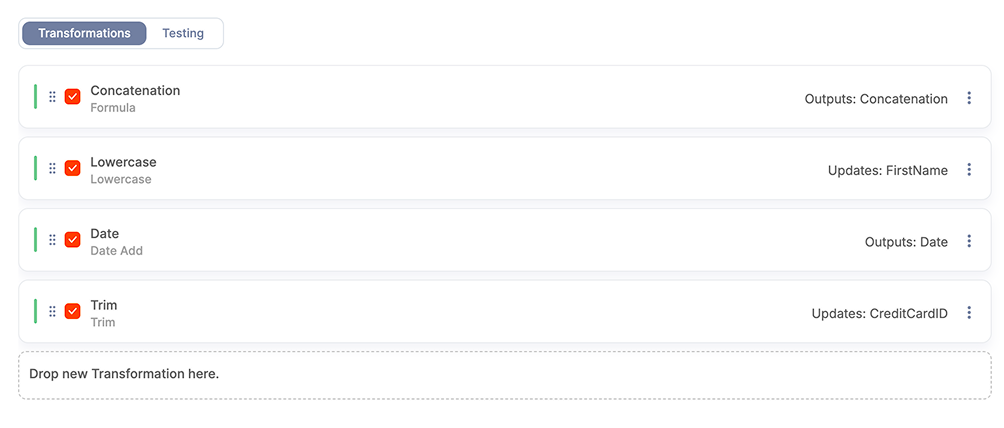
Meanwhile, the design and development teams began working on a set of user-friendly transformations to lower the barrier to entry for non-technical users. We explored multiple concepts, pre-built templates, wizard-based flows, and modular blocks and ultimately chose a drag-and-drop model where transformations could be stacked in sequence.
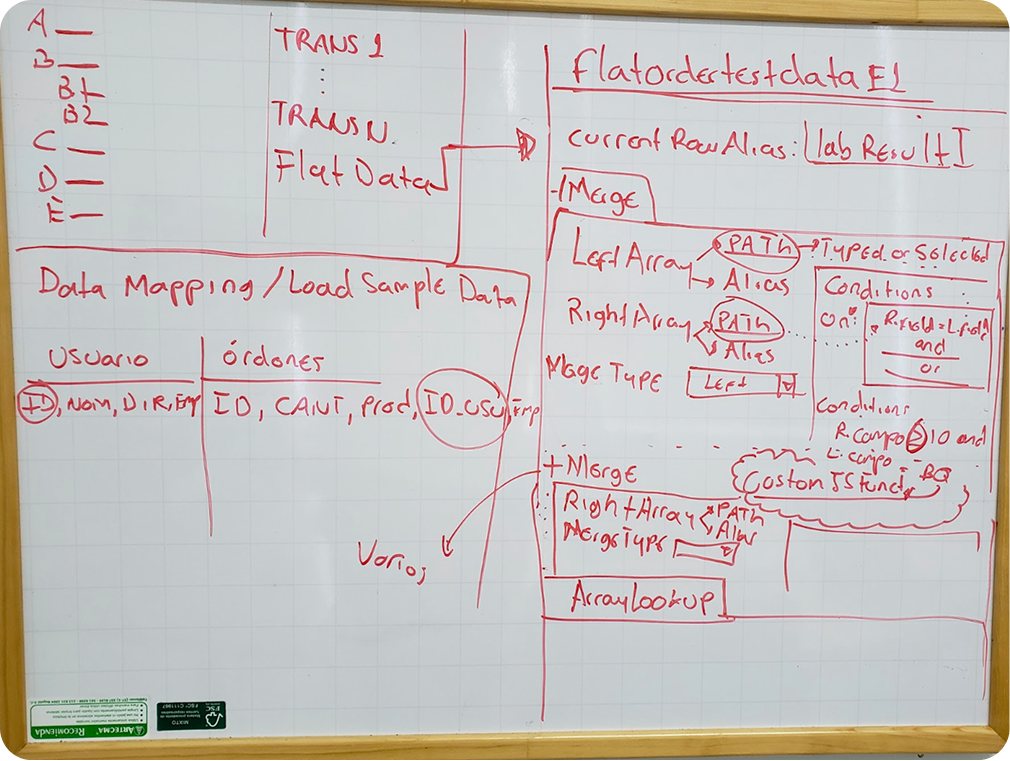
We defined three design pillars to guide our solution:
→ Scalability — new transformations could be added as independent blocks.
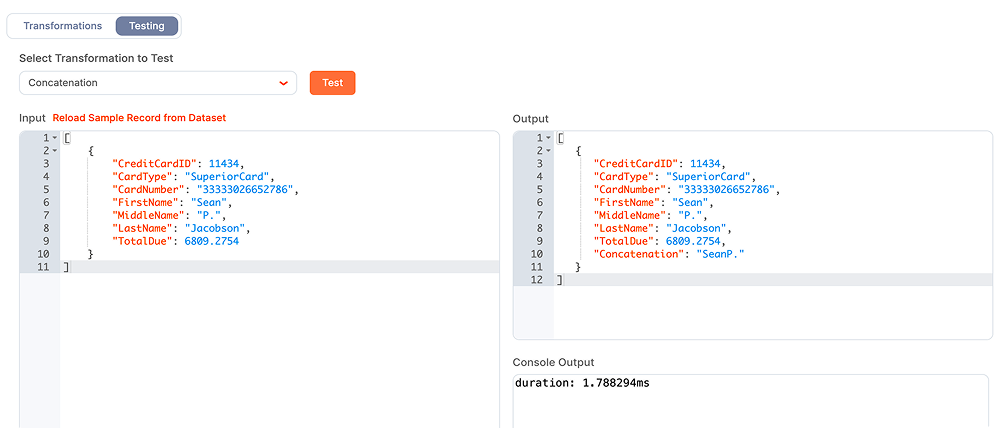
→ Transparency — users could visualize how each step affected the data and test the result.
→ Flexibility — transformations executed in cascade, and order could be changed visually.
Low-fidelity prototypes were tested with internal data specialists and customer success teams to validate comprehension and flow logic before moving to high-fidelity design.
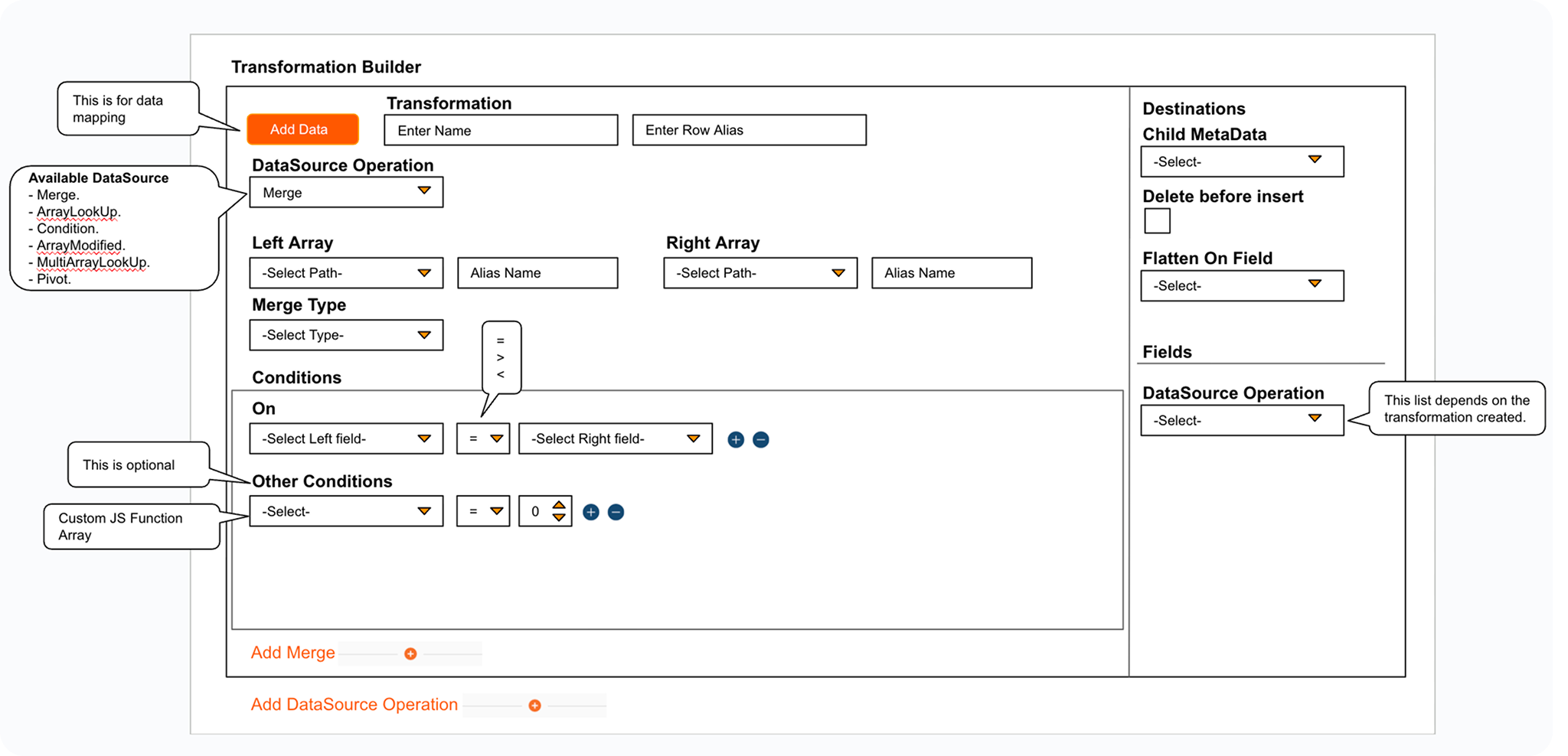
Once the core principles were defined, I moved into refining the user flow and visual consistency across transformation types.
03 — Design & Development
Design Desicions
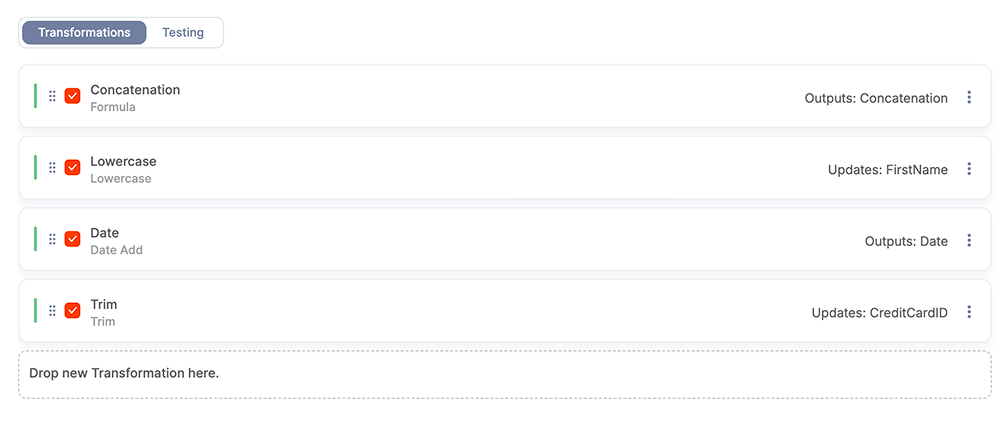
I led the design of the Transformation module, working closely with PMs and developers. The focus was on keeping things consistent across a dozen transformation types so users could learn one and immediately understand the rest.
User Flows
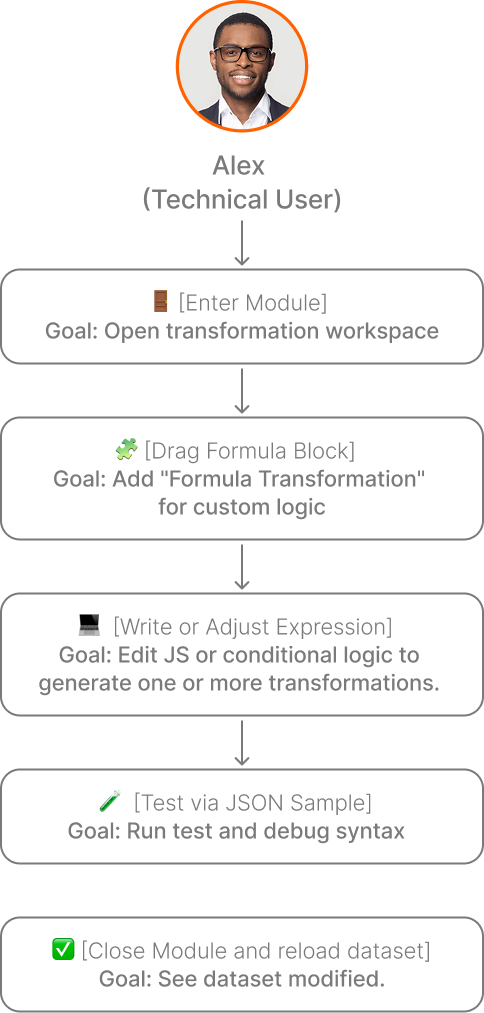
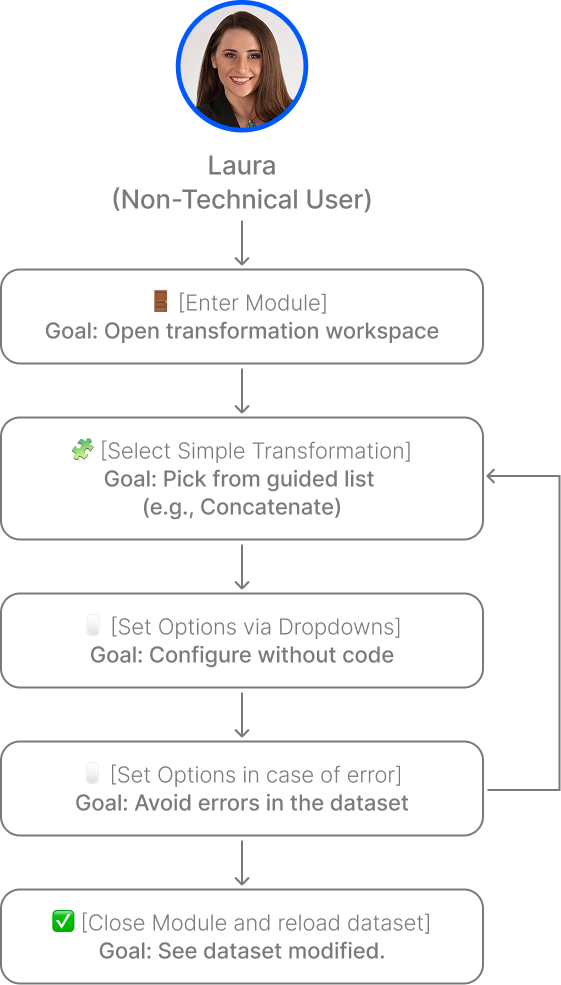
Key Desicions Included
The following design choices were critical to ensure scalability, discoverability, and usability.
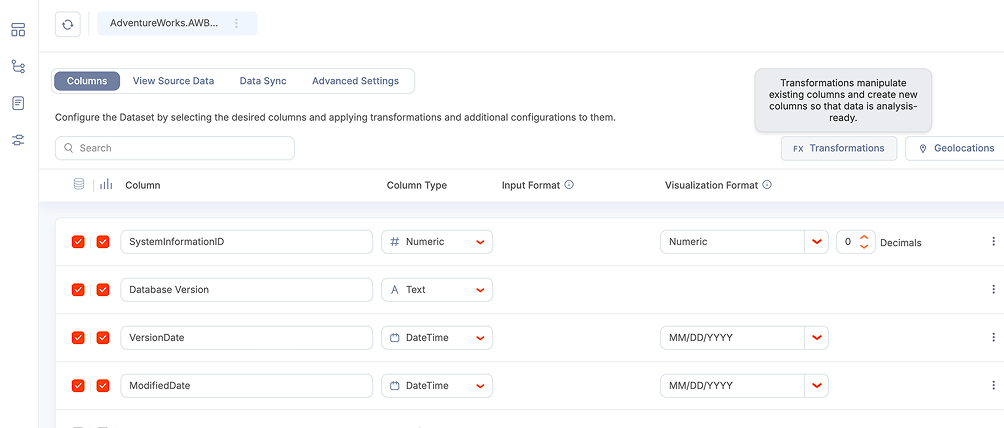
Discoverable button in a hierarchical position of importance to facilitate the access to the module.
Drag-and-drop workflow builder to provide more control and flexibility to users.
Consistent look and behavior across all transformation types so there's less to learn.
A testing section where users can verify their results before applying them.
UI Flows
04 - Testing and Lauch
A first version was developed and tested with internal stakeholders and selected customers for feedback. This is what we found:
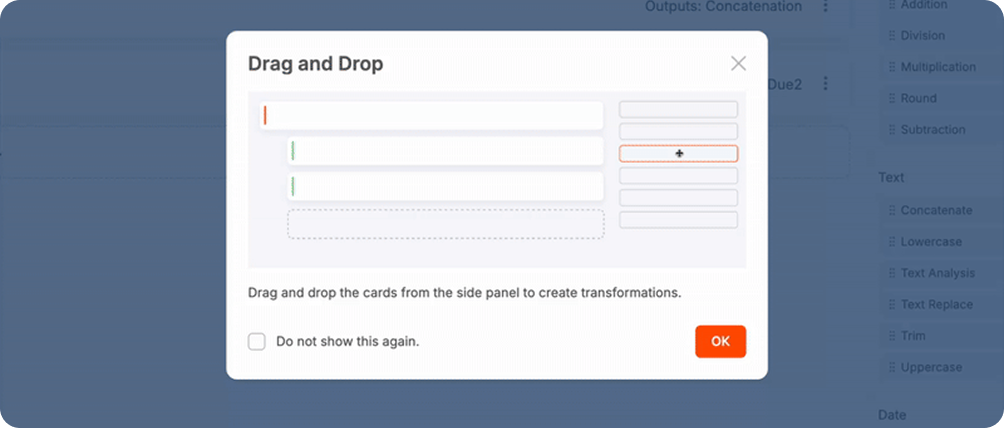
Drag & Drop not immediately clear
❌ Issue: Some users didn’t realize transformations were added via drag-and-drop.
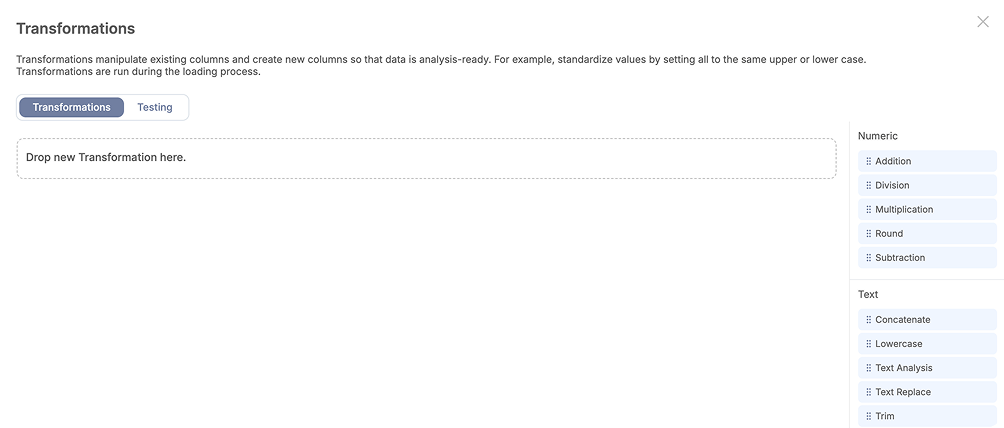
✅ Solution: Added a visual onboarding overlay to demonstrate cascading logic.
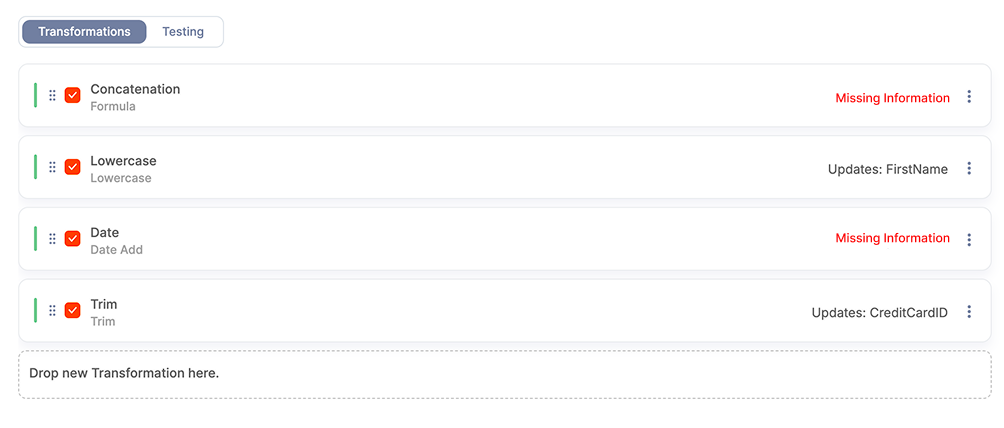
Incomplete transformations hidden
❌ Issue: Users often closed transformation cards with missing fields that end up broken the trasnformations flow.
✅ Solution: Introduced a red “Missing information” badge to informe clearly to users the need to take action.
Slow column loading
❌ Issue: On large datasets the users experienced slow loading of the columns, the reason was that all the existing columns were being loaded at the same time.
✅ Solution: Optimized performance through lazy loading to load data gradually based on user scrolling.
After several rounds of iteration, the feature shipped as part of the Qrvey Data section, the first time users could do this without leaving the platform.
See Transformation Module in action
05 - Results and Impact
-66%
Ticket requests related to data transformations dropped by 66%, from 15 to 5 per month. A clear sign the feature was actually working.
+2
2 current clients renewed their subscription to Qrvey because they felt we optimized their process.
The tool is still active and keeps growing, with new transformations added regularly. More importantly, it made Qrvey more self-sufficient — users who previously had to go outside the platform to prepare their data could now do it all in one place. It also showed that good UX on a technical feature can have a direct impact on support volume and client retention.
06 - Key Takeaways
→ Designing for both technical and non-technical users requires clear visual hierarchy and consistent patterns. Once a user learns to do an action is easier to lead them into other flows and features with using the same patters, consisteny over creativity.
→ Designing for technical users isn’t about removing complexity, it’s about making complexity visible in a structured way.
→ From a product standpoint, it also improved efficiency internally. Teams could test data transformations faster, reducing errors before production and decreasing dependency on engineering support.